

Clarification regarding transactions submitted through SYSAID:
- ONLY HRSC transactions with an effective date prior to 09/20/2026 must be submitted through SYSAID with a completed paper EAF attached. These transactions should not be entered into Quantum One. Examples include backdated hires or rehires, salary changes, assignment changes, and other actions that require processing by the HRSC team.
- Payroll corrections should be submitted through the Payroll Adjustment Journey, not through SYSAID.
- General payroll related questions should continue to be sent to centralpayrollhelp@umaryland.edu.
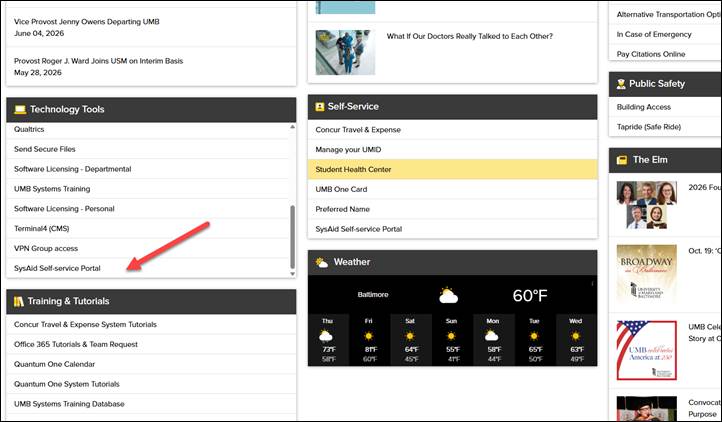
Access SYSAID through the UMB Portal under the Technology Tools header. The location may appear differently for each user.