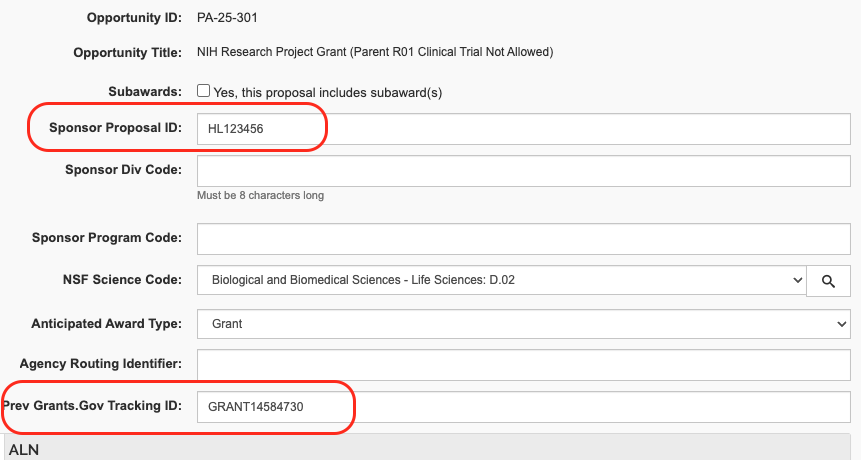
In Kuali Research, certain fields are required for NIH system-to-system (S2S) proposals to give information about the proposal type and key numbers such as the Grants.gov Tracking ID. If youi are copying or resubmitting an NIH proposal, follow the instructions for the proposal type.
Use these instructions when a new NIH Proposal has received an AN number in eCommons but needs to be corrected and resubmitted.
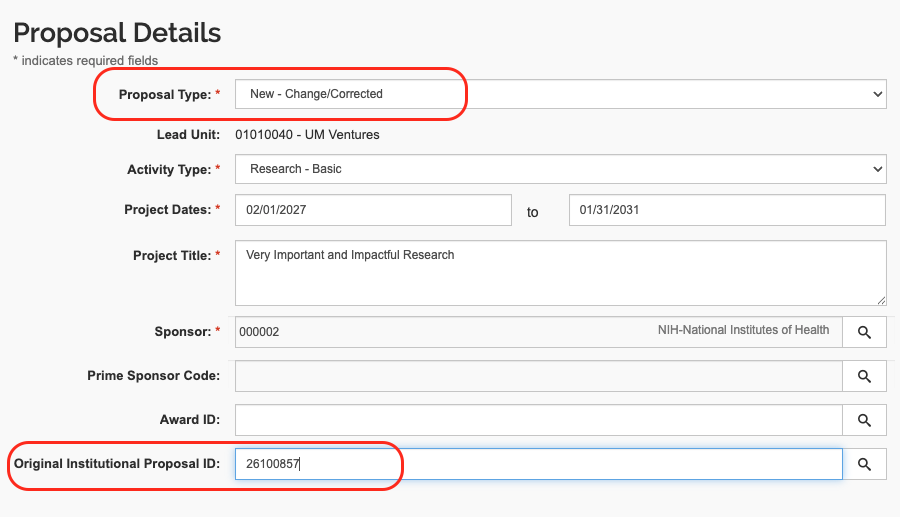
Proposal Details section:
1. Change Proposal Type to: New - Changed/Corrected
2. Enter the Original Institutional Proposal ID
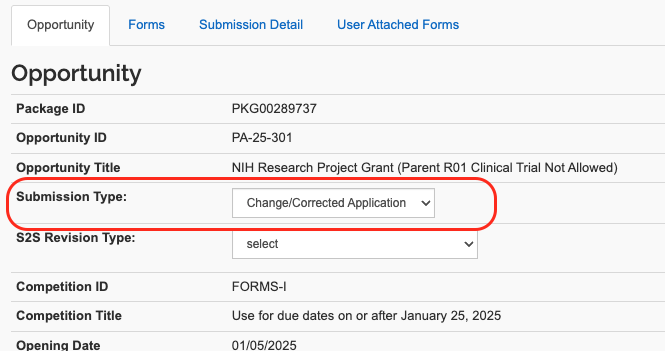
S2S Opportunity section
3. Verify that the Submission Type is Changed/Corrected Application
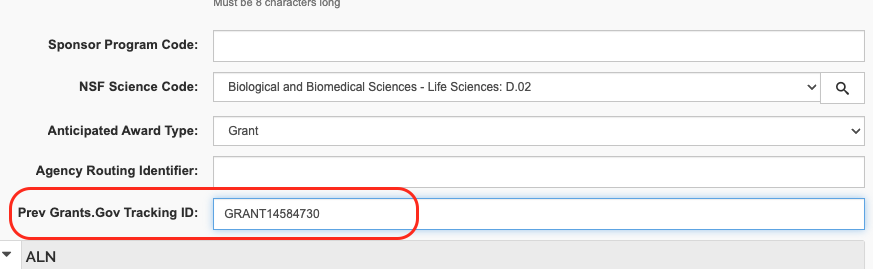
Sponsor & Program Information section
4. When you copy the proposal, the Prev. Grant.gov Tracking ID field will automatically be filled in. Leave this number in for a Change/Corrected application.
5. Reminder: Copied proposals require several other updates including investigator certifications, set all attachments to Final, etc. Follow validation prompts.
This instruction is for submitting a proposal that was previously submitted in another review cycle. A resubmission is an unfunded application that has been modified following initial review and resubmitted for consideration.
Proposal Details section
1. Proposal Type should be Resubmission (for S2S)
Sponsor & Program Information section
2. In the Sponsor Proposal ID field, enter the NIH Application number (IC and serial number, no spaces, e.g., CA654321)
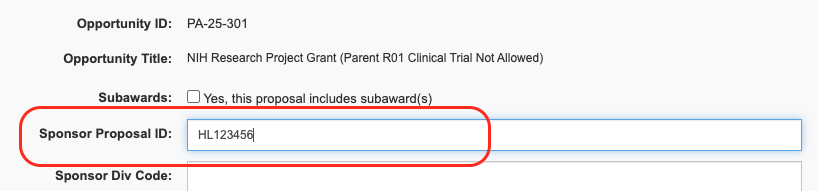
An NIH renewal proposal (also known as a Type 2 application or Competing Continuation) is a request for additional funding to continue a research project for a new project period after the current award expires.
Proposal Details section
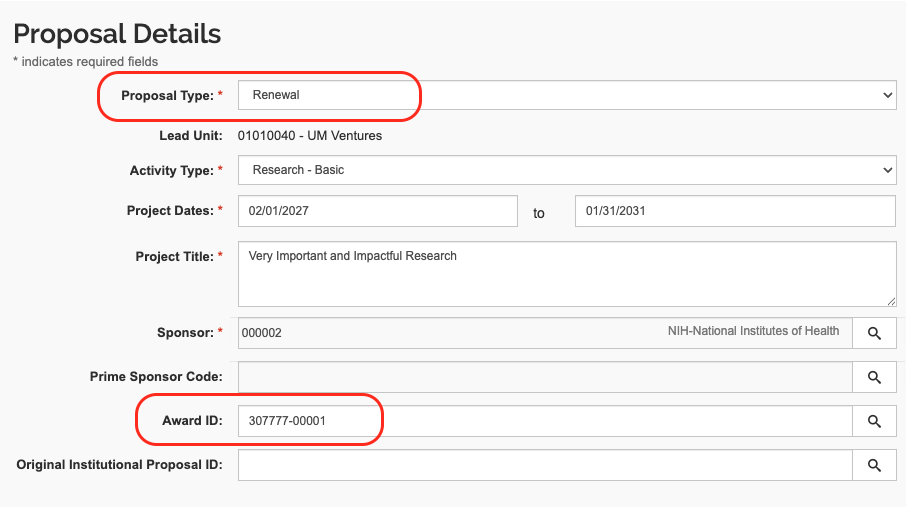
1. Proposal Type should be Renewal
2. In the Award ID field, enter the Kuali Research Award ID from the current grant that is being renewed.
Sponsor & Program Information section
3. In the Sponsor Proposal ID field, enter the IC and serial number from the NIH Award ID with no spaces (e.g., CA654321)
Current recipients of NIH grants and cooperative agreements can sometimes request supplemental funding through the submission of revision applications.
Proposal Details section
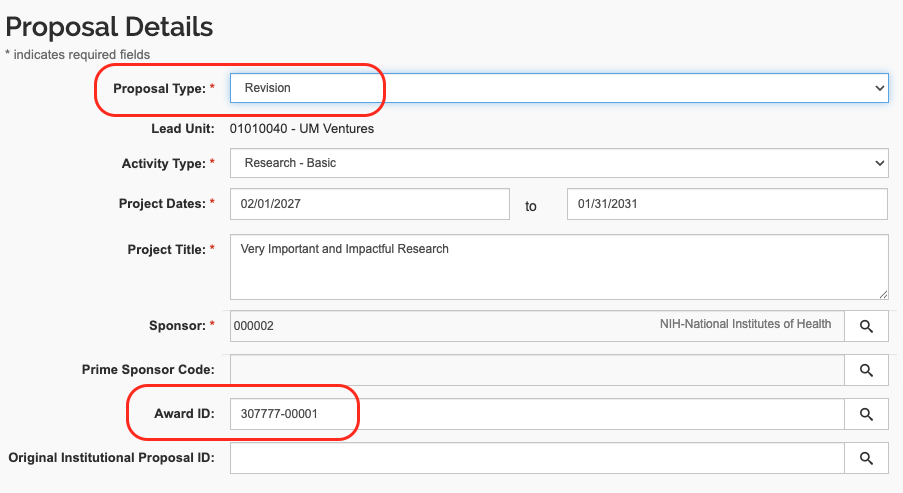
1. Proposal Type should be Revision
2. In the Award ID, enter the Kuali Research Award ID of the parent award (the existing NIH award for which supplemental funding will be requested).
S2S Opportunity section
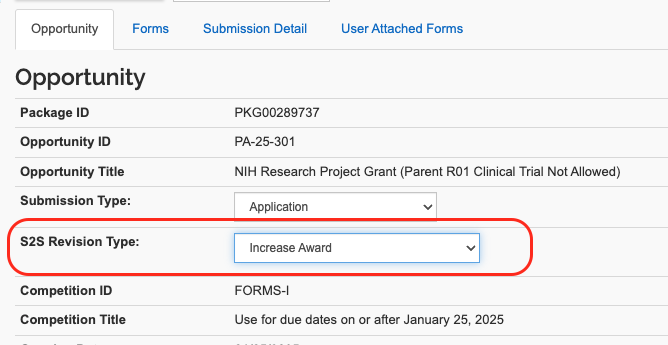
3. Select the S2S Revision Type, usually Increase Award
Sponsor & Program Information section
4. In the Sponsor Proposal ID field, enter the IC and serial number from the NIH Award ID with no spaces (e.g., CA654321)
Use these instructions when an NIH Revision (supplement) application has received an AN number in eCommons but needs to be corrected and resubmitted.
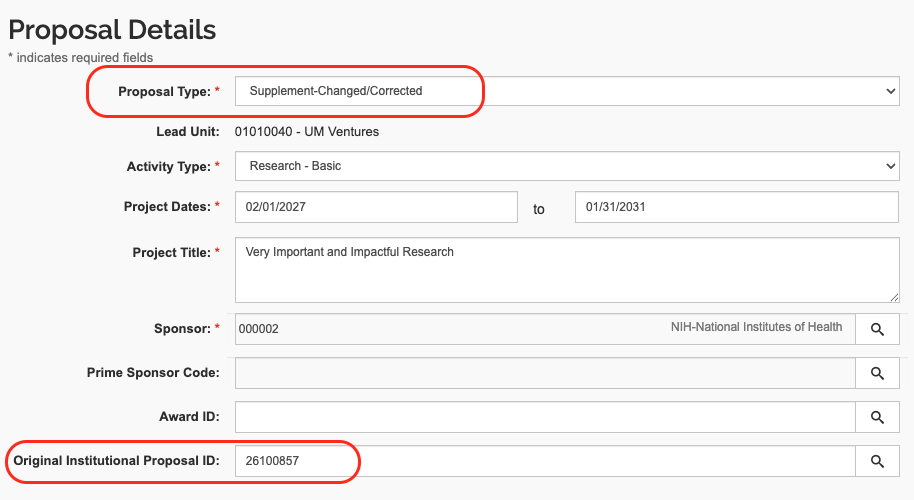
Proposal Details section
1. Proposal Type should be Supplement-Changed/Corrected
2. Enter the Original Institutional Proposal ID
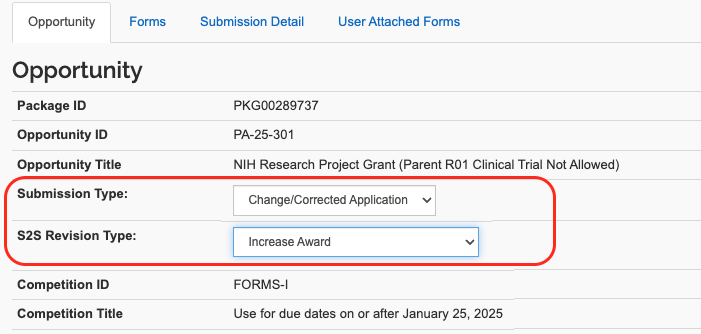
S2S Opportunity section
3. Verify that the Submission Type is Changed/Corrected Application
4. Select the S2S Revision Type, usually Increase Award
Sponsor & Program Information section
5. In the Sponsor Proposal ID field, enter the IC and serial number from the NIH Award ID with no spaces (e.g., CA654321)
6. In the Prev Grants.Gov Tracking ID field, enter the Grants.gov tracking number from the initial submission.
These numbers will automatically pull in if you copy the initial KR proposal for this submission.